Licenses
License keys are used to register your product. Each license key is related to an SKU. One license key can be used to activate one or several products.
A license key can be used to activate a product online (through your own sales website), or offline (through a dealer).
Adding New Licenses
-
To go to the License page, click the Licenses icon in the menu bar.
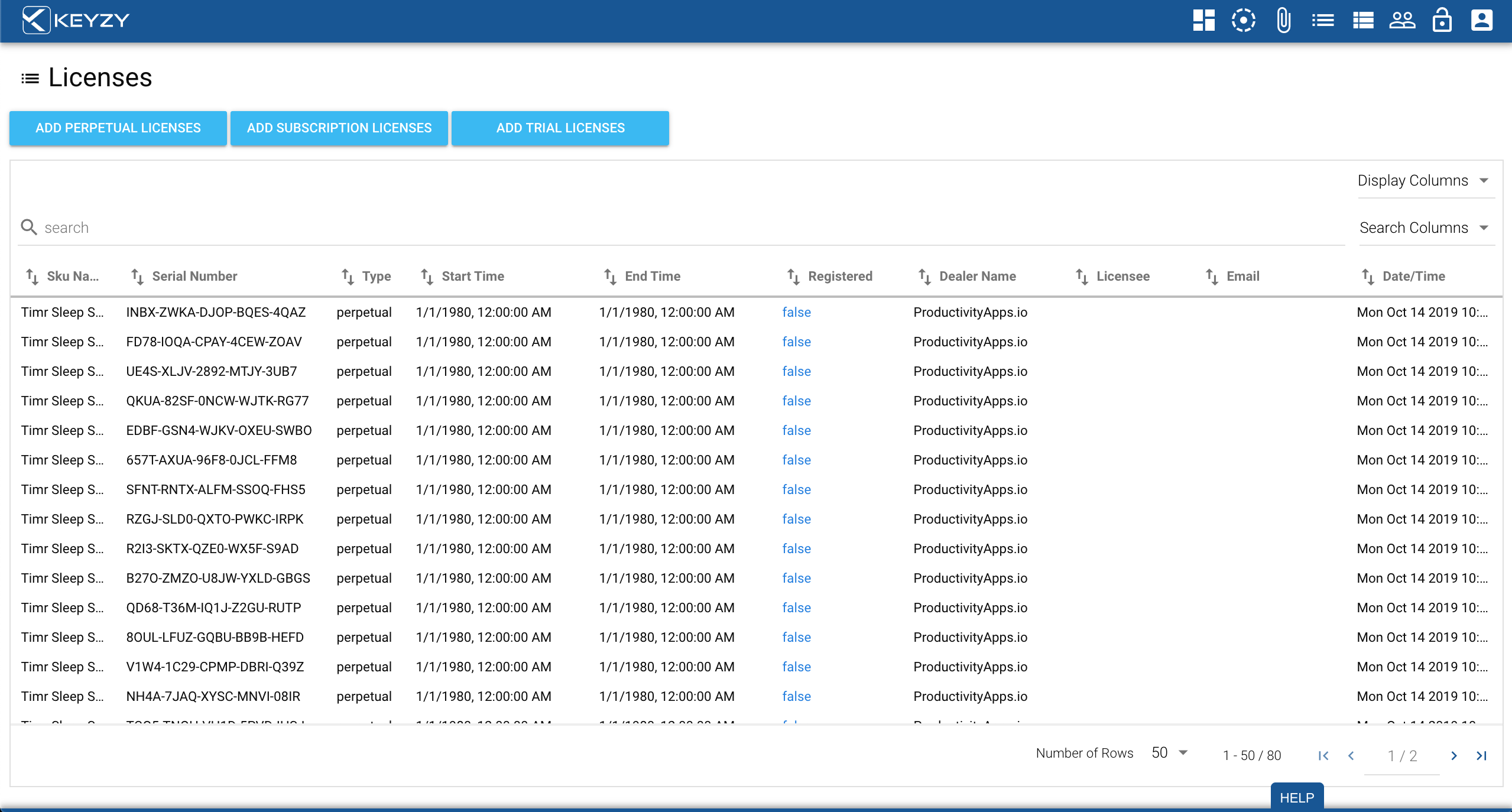
In the main license window you can see the SKU to which the licenses are assigned, the individual serial numbers for each SKU, the status of the serial number, the dealer name (if applicable), the licensee, their email address and the date the license key was created.
-
To create a new license, click the “Add Licenses” button.
-
This will open a pop-up box where you can select:
- The SKU for which you are generating license numbers
- The dealer (if applicable)
- The number of license keys for the selected SKU
- If they are upgrade licenses or not
License Activation
When a license is activated by the Register API, the “Registered” column will change from “false” to “true” and the “Licensee” name will be displayed, along with the email. The “Date/Time” column will be updated with the time of activation.
A license can be activated in two ways:
- Online: The registration request is sent and KEYZY sets the “Registered” column to “true”
- Offline: KEYZY needs to receive the license key and the product number to confirm the activation
Editing a License
To edit a license click on the license status, the licensee, or the email address. This will open a new window where you can edit:
- The license status
- The licensee name
- The email address of the licensee
The search bar allows you to search licenses by SKU name, serial number, status, dealer name, licensee, and email.