Activations
An activation is one product of one license on one device. It is created the first time a device activates the license, and its Last Active time is updated every time that device checks the license again.
The Activations Page
To go to the Activations page, click the Activations icon in the menu bar.
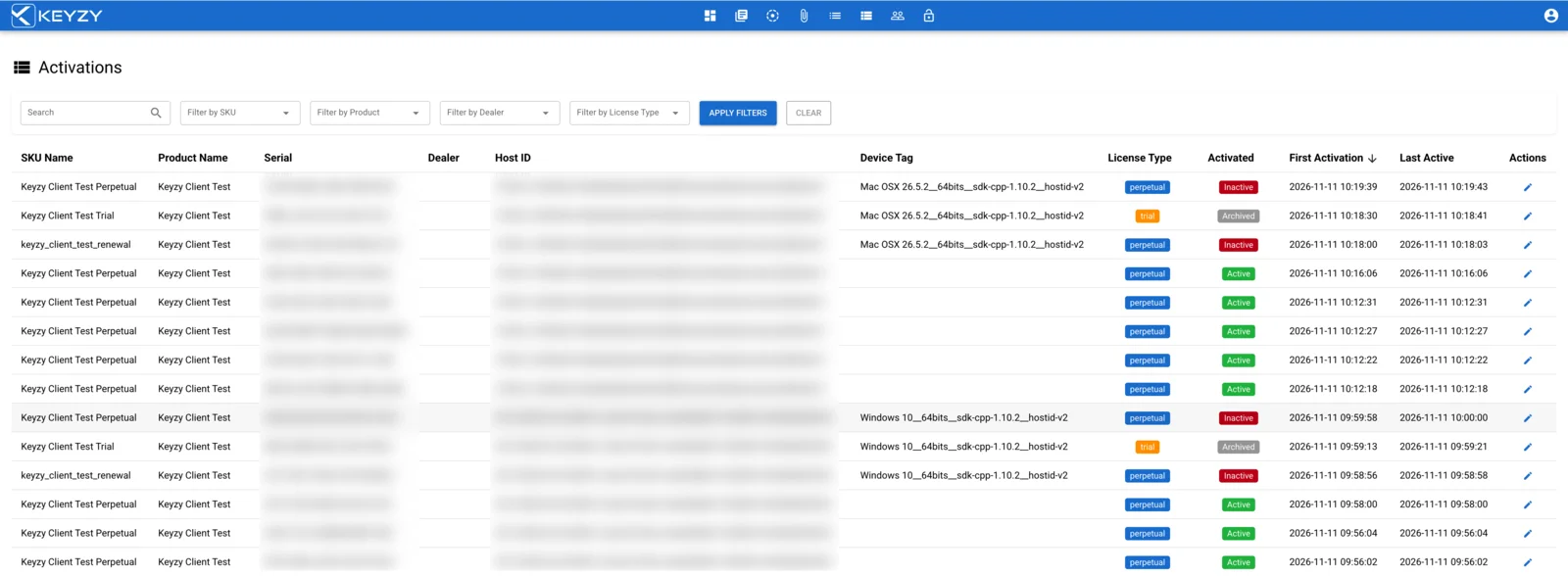
| Column | What it shows |
|---|---|
| SKU Name, Product Name | The license’s SKU and the product activated on the device |
| Serial | The license key |
| Dealer | The dealer, for dealer licenses |
| Host ID | The device identifier, sent by the client library or with the Validate API |
| Device Tag | A short description of the device, sent by the client library or with the Validate API |
| License Type | perpetual, subscription or trial |
| Activated | Active, Inactive (suspended, see below) or Archived (a trial that has ended, see below) |
| First Activation, Last Active | When the device first activated the license, and when it last checked it |
Use Search and the SKU, Product, Dealer and License Type filters, then click Apply Filters. Clear removes the filters.
Editing an Activation
Click the pencil icon on a row to open the activation.
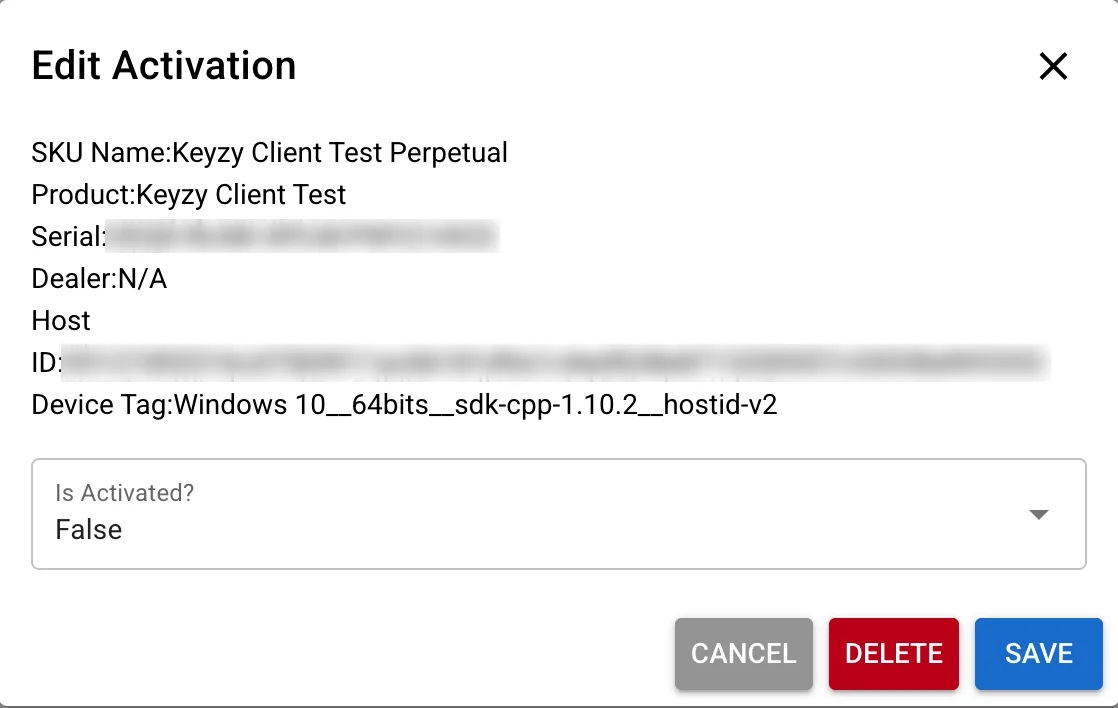
- Is Activated? Set it to False and click Save to suspend the device: its license checks fail until you set it back to True. While it is suspended, the device cannot activate the license again, even if the user enters the serial again. Use it to block one device for a while without touching the license or the user’s other devices. The activation stays and still counts toward the product’s device limit.
- Delete removes the activation and frees its place in the device limit. The license itself stays valid, so the same device can activate it again. To stop a license completely, for example after a refund, delete the license on the Licenses page or with the Destroy Serial API.
Activations can also be deleted from your own systems with the Delete Activation API.
Trial Activations
A device can run one trial per product, whatever the trial SKU. KEYZY remembers the device after the trial is over, so a user cannot start a second trial on the same machine.
A trial activation becomes Archived:
- when you delete it, or
- automatically, one week after its trial ends. The trial license is removed at the same time, so expired trials do not add to your license count. The activation stays here as Archived.
An archived device is still blocked from a new trial.
Letting a device start over
To let a device run a new trial, for example a test machine of your developers or a customer who could not use the trial:
- Open the device’s trial activation. If it is not archived yet, click Delete.
- Open the archived activation and click Reset Device.
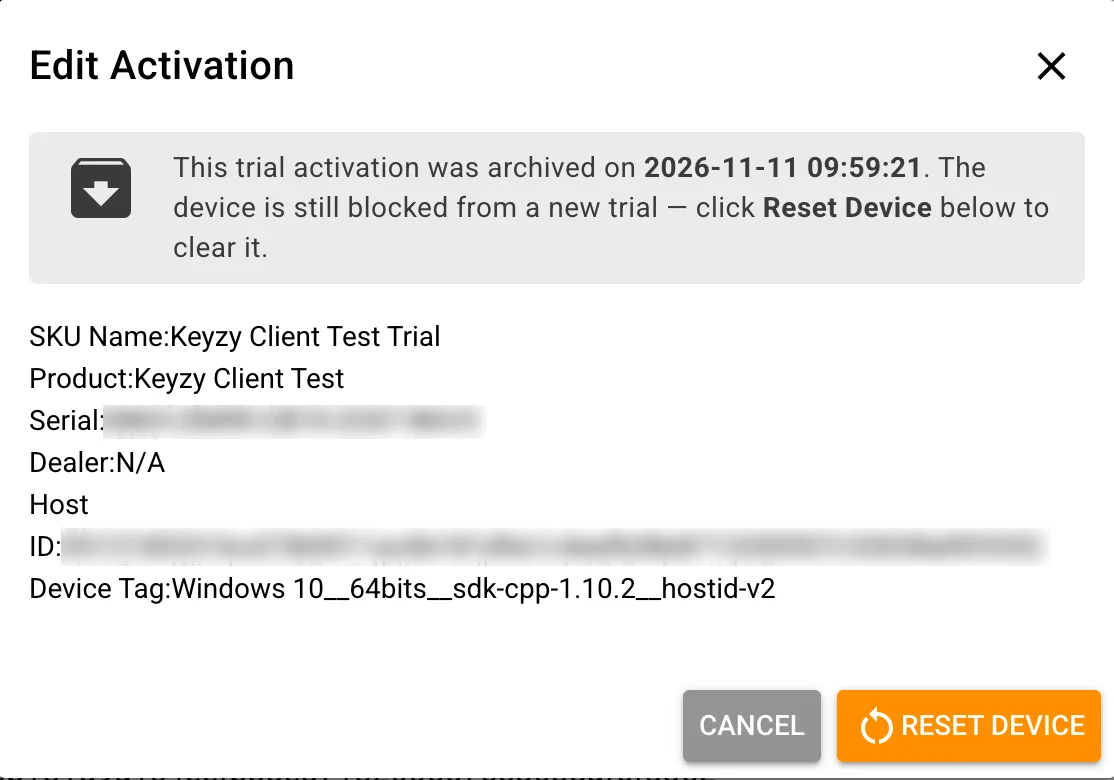
Reset Device removes the activation completely, and the device can register a new trial. The two steps are separate on purpose: Delete ends the trial on that device, Reset Device also lets it start a new one.